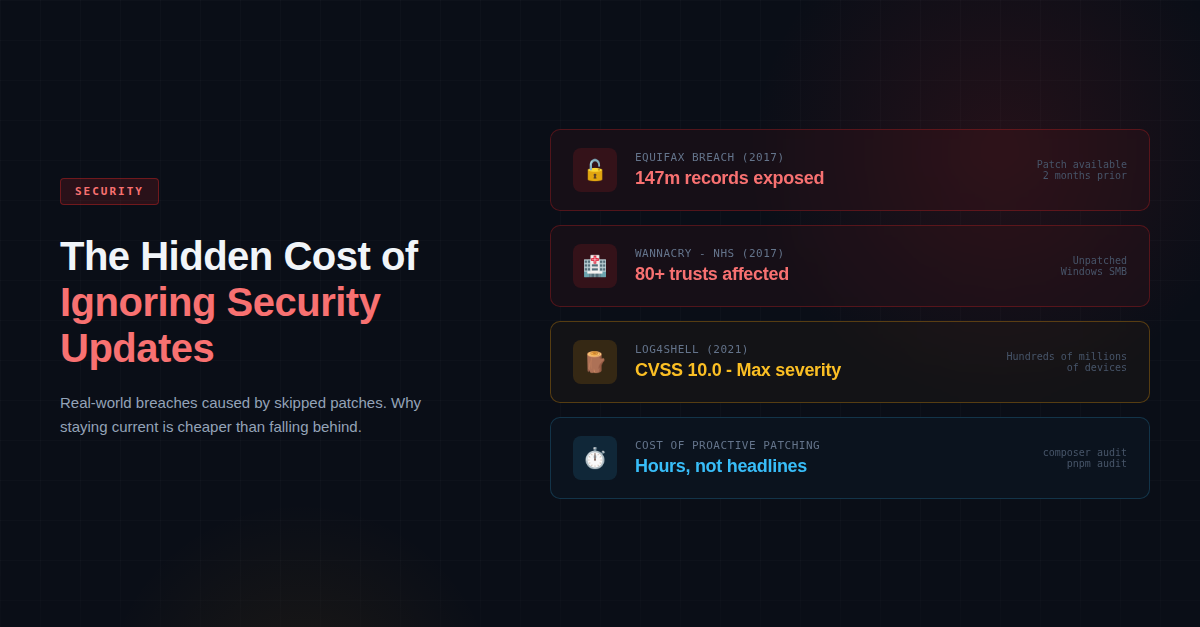
The Hidden Cost of Ignoring Security Updates
In our recent post on keeping your stack current, we talked about the importance of auditing your software dependencies at the start of the year. Laravel 10 security support was ending, PHP versions were reaching end of life, and the message was clear: check your stack and plan your upgrades.
But we want to go further than that. Because the real problem with security updates is not that teams don't know about them. It's that they get deprioritised. They get pushed to the next sprint, then the sprint after that, and then they quietly drop off the backlog altogether.
This post is about what that actually costs. Not in theory, but in practice.
The Breaches That Didn't Need to Happen
Some of the most damaging security incidents in recent history were entirely preventable. The patches existed. They just weren't applied.
In 2017, Equifax suffered a data breach that exposed the personal information of approximately 147 million people, including national insurance-equivalent numbers, dates of birth, and addresses. The root cause was an unpatched vulnerability in Apache Struts (CVE-2017-5638). A fix had been available for over two months before the attackers gained access. The company's patching process simply failed to apply it. The breach went undetected for 78 days, and the eventual cost ran into the billions in settlements, fines, and reputational damage.
That same year, the WannaCry ransomware attack hit over 200,000 machines across 150 countries. In the UK, it brought parts of the NHS to a standstill. Hospitals cancelled thousands of appointments and operations. Emergency patients were redirected. Staff resorted to pen and paper. The vulnerability it exploited had been patched by Microsoft two months earlier, but many NHS systems were running unpatched or unsupported versions of Windows. The damage was enormous, and it was avoidable.
Then in December 2021, the Log4Shell vulnerability (CVE-2021-44228) was disclosed in Log4j, a widely used Java logging library. It received the maximum severity score of 10.0. Within days, attackers were actively exploiting it across the globe. The US Cybersecurity and Infrastructure Security Agency called it one of the most serious vulnerabilities ever discovered. Organisations that had robust patching processes in place were able to respond quickly. Those that didn't were left scrambling.
These are not edge cases. They are the predictable outcome of treating security maintenance as optional.
Why This Matters for PHP and Laravel Projects
If you're running a PHP application, particularly one built on Laravel, the same principles apply. PHP and its ecosystem are not immune to vulnerabilities, and the framework's popularity makes it a target.
Laravel follows a clear release and support lifecycle. Major versions receive bug fixes for around 18 months and security fixes for around two years. Once a version falls out of security support, any new vulnerabilities discovered in the framework simply won't be patched for that version. You're on your own.
As we mentioned in our previous post, Laravel 10 security support is due to end in February 2025, and Laravel 9 had already lost security support in February 2024. If your application is running on either of these versions without a plan to upgrade, every day that passes increases your exposure.
The same applies to PHP itself. Each minor version of PHP receives two years of active support and one year of security-only fixes. Once that window closes, known vulnerabilities in the language runtime go unpatched. Running your application on an unsupported version of PHP is like locking your front door but leaving the windows wide open.
And it's not just the framework and language. Your Composer dependencies, your Node packages, your database server, your web server, your operating system - every layer in the stack has its own lifecycle and its own security advisories. A vulnerability in any one of them can be the way in.
The Real Cost Is Not the Patch
Here is the thing that often gets overlooked: the cost of applying a security update is almost always trivial compared to the cost of not applying it.
Applying a patch might mean running composer update, running your test suite, and deploying. It might take an afternoon. In some cases, it takes less than an hour.
The cost of a breach, on the other hand, includes the incident response, the forensic investigation, the legal obligations around data disclosure, potential regulatory fines under GDPR or similar frameworks, the cost of customer communication, and the long-term damage to trust and reputation. For smaller businesses, a serious breach can be existential.
Even without a breach, running outdated software carries hidden costs. Your team has to work around known issues that have already been fixed upstream. You miss out on performance improvements and security hardening. When you do eventually need to upgrade, the gap is larger, the breaking changes have accumulated, and the project takes weeks instead of hours.
We see this regularly. A team puts off a Laravel upgrade for a year or two, and what would have been a straightforward version bump has turned into a significant migration project involving framework changes, dependency conflicts, and deprecated features that need rewriting.
What Good Looks Like
Security maintenance doesn't need to be heroic. It just needs to be consistent. Here's what we recommend:
Run audits regularly. For PHP projects, composer audit will flag known vulnerabilities in your dependency tree. For JavaScript dependencies, pnpm audit (or the equivalent for your package manager) does the same. Make this part of your CI pipeline so it happens automatically on every build.
Track your framework and language versions against their support timelines. Know when your current version of Laravel, PHP, Node, or any other critical dependency reaches end of life, and have a plan in place before it does.
Don't let upgrades accumulate. Upgrading one major version at a time is usually straightforward. Upgrading three at once is a project. Stay current and the incremental cost stays low.
Include security updates in your sprint planning. They are not separate from the work. They are part of the work. Treating them as such means they actually get done.
Monitor for advisories. Subscribe to security mailing lists for the tools you depend on. Laravel, PHP, and most major packages publish security advisories when issues are found. Being aware of them early gives you the best chance of responding before they're exploited.
Don't forget your infrastructure. Your application code is only as secure as the server it runs on. Operating system packages, web server software, SSL certificates, database servers - all of these need regular attention too.
Security Is Maintenance, Not a Feature
We understand why security updates get deprioritised. They don't ship visible features. They don't excite stakeholders in a demo. They're unglamorous work that, when done well, is invisible.
But that's exactly the point. Good security maintenance is invisible because nothing goes wrong. The moment it becomes visible, something already has.
The Equifax breach, WannaCry, Log4Shell - these were not sophisticated attacks against well-defended systems. They were the entirely predictable result of known vulnerabilities being left unpatched. The fixes existed. They just weren't applied in time.
If you're unsure where your stack stands, start with the basics. Run composer audit. Check your Laravel version. Check your PHP version. Look at what's running on your servers. If anything is out of support or flagging known vulnerabilities, that's your priority for this week, not next quarter.
The cost of staying current is small and predictable. The cost of falling behind is neither.