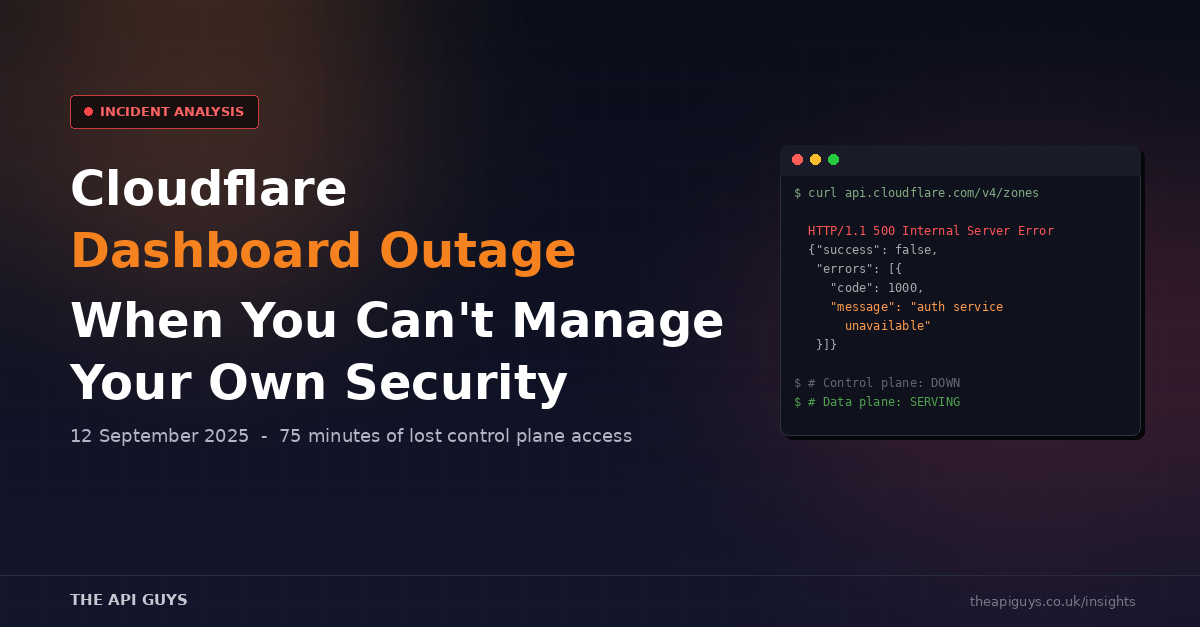
Cloudflare Dashboard Outage (12 September) - When You Can't Manage Your Own Security
On 12 September 2025, Cloudflare's Dashboard and a broad set of their management APIs went down for over an hour. If you were logged in trying to manage your sites, you saw errors. If your automation relied on the Cloudflare API to make configuration changes, it failed. If you needed to respond to a security incident by adjusting firewall rules or rotating tokens, you were locked out.
Your actual websites kept running. CDN traffic continued to flow. DDoS protection stayed active. But the tools you use to manage all of that? Gone.
This is the fifth significant Cloudflare incident we have covered in 2025, following the February R2 outage, the March R2 credential rotation failure, and the August AWS congestion incident. Each one carries a different lesson. This one is about a distinction most teams overlook until it is too late: the difference between your data plane and your control plane.
Data Plane vs Control Plane
When we talk about cloud infrastructure, there are two layers that matter. The data plane is the system that actually serves your traffic - in Cloudflare's case, the global network of data centres that cache your content, terminate SSL, block malicious requests, and route traffic to your origin servers. The control plane is the management layer - the dashboard, the APIs, the tools you use to configure and monitor everything the data plane does.
On 12 September, the data plane was fine. Cloudflare's CDN continued serving cached content. Their security features kept running. The vast majority of end users visiting sites behind Cloudflare noticed nothing at all.
But the control plane went down. And that matters far more than most teams realise.
What Actually Happened
The root cause was a bug in Cloudflare's dashboard code - specifically, a React useEffect hook with a flawed dependency array. An object was included in the dependency array that was recreated on every state or prop change. React treated it as a new value each time, causing the effect to re-run on every render. Instead of making a single API call to the /organizations endpoint, the dashboard was firing repeated requests in a tight loop.
This buggy dashboard version was deployed at 16:32 UTC. It sat there for over an hour without causing visible problems - until 17:50 UTC, when a routine update to the Tenant Service API was deployed. The combination of the looping dashboard requests and the service update overwhelmed the Tenant Service, which began failing at 17:57 UTC.
The Tenant Service is not just another API endpoint. It handles authorisation for all Cloudflare API requests. When it went down, every API call that needed authorisation started returning 5xx errors. The dashboard became unusable. Automation scripts failed. Terraform plans timed out. Every management operation across the platform was affected.
The Timeline
At 16:32 UTC, the buggy dashboard version was deployed. At 17:50, the Tenant Service update went out. Seven minutes later, at 17:57, the Tenant Service was overwhelmed and impact began. Cloudflare's incident response kicked in quickly - automatic alerting identified the right engineers and pulled them onto the call.
By 18:17 UTC, the team had scaled up the Tenant Service with additional resources, and API availability climbed back to 98%. But the dashboard still was not recovering. The looping useEffect bug meant that every dashboard session was still hammering the API with repeated requests, preventing the service from stabilising.
Then came the misstep that extended the outage. At 18:58, engineers deployed a patch to the Tenant Service to address lingering errors they believed were keeping the dashboard down. The patch made things worse. API availability dropped again. The change was reverted at 19:12, and only then did the dashboard finally recover to 100%.
Total impact: 75 minutes. Two separate waves of errors, the second one caused by the attempted fix.
The Thundering Herd
One of the more instructive details from this incident is the thundering herd problem. When the Tenant Service came back online, every dashboard session and API client that had been failing tried to reconnect simultaneously. This surge of reconnection traffic nearly overwhelmed the service again, causing a secondary spike in errors.
This is a well-known pattern in distributed systems, but it was amplified here by the dashboard bug. Normal retry logic would have spread reconnection attempts over time. The looping useEffect meant the dashboard was not just retrying - it was generating new requests continuously, turning what should have been a gradual recovery into another avalanche.
Cloudflare addressed this with a hotfix shortly after the incident, and committed to adding randomised delays (known as jitter) to dashboard retry logic to prevent the same pattern in future.
A Pattern Worth Watching
This incident did not happen in isolation. Looking at Cloudflare's 2025 so far, there is a clear pattern emerging. In February, a human error during abuse remediation took down the entire R2 service. In March, a missing CLI flag during credential rotation caused R2 to fail again. In August, a traffic surge exposed a fragile peering link between Cloudflare and AWS. And now in September, a frontend bug combined with a backend deployment to knock out the entire management layer.
Each incident has a different root cause, but they share a common theme: tightly coupled systems where a failure in one component cascades further than anyone expected. Cloudflare themselves acknowledged this in their post-mortem, noting that the Tenant Service being part of the API authorisation path meant a single service failure could take down the entire control plane.
Why Control Plane Failures Are Dangerous
Most teams plan for data plane outages. Your CDN goes down, traffic falls back to origin. Your database fails over to a replica. Your load balancer routes around unhealthy instances. These scenarios are well-understood, and most modern architectures handle them reasonably well.
Control plane failures are different. They do not break your running services - they break your ability to respond. Consider these scenarios during a control plane outage:
You detect a spike in malicious traffic and need to add a new firewall rule. You cannot. A DNS record needs updating because you are migrating an origin server. You cannot. You discover a misconfigured page rule that is serving stale content. You cannot fix it. An API token has been compromised and needs immediate revocation. You cannot access the dashboard to do it.
The irony is that control plane outages are most dangerous precisely when you most need your management tools - during an active incident on your own infrastructure.
What You Should Do About It
The practical question is straightforward: if your provider's management tools go down right now, what can you do?
Know the difference between data plane and control plane. Understand which of your provider's services are management functions and which are traffic-serving functions. During this Cloudflare incident, your sites kept running. Knowing that distinction prevents panic and helps you communicate accurately to stakeholders.
Have API-level access configured and tested. Cloudflare's API and dashboard share the same backend, so both failed here. But not all providers work this way. For services where API access uses a different path than the web dashboard, having CLI tools and scripts pre-configured gives you an alternative route when the GUI is down.
Keep local copies of critical configurations. If you manage DNS, firewall rules, or page rules through Cloudflare, export and store those configurations regularly. Tools like Terraform can help here - your infrastructure-as-code files become a point-in-time snapshot of your configuration that you can reference or redeploy through an alternative provider if needed.
Plan your incident response for management outages. Your runbooks probably cover "what if the site goes down" but do they cover "what if we cannot access the tools we use to manage the site"? Include control plane failure as a scenario in your incident response planning.
Consider multi-provider strategies for critical functions. For DNS specifically, running a secondary DNS provider means you can still make changes even if your primary provider's management tools are offline. The cost of a secondary DNS service is trivial compared to being locked out during an incident.
Subscribe to your provider's status page. Cloudflare's automatic alerting worked well during this incident - they identified the issue quickly. Make sure you are subscribed to status updates so you know when an outage is happening rather than discovering it when your next deployment fails.
For Laravel Teams Specifically
If you are using Laravel with Cloudflare (and many of our clients do), there are some specific considerations. If your deployment pipeline pushes cache purge requests to Cloudflare's API as part of the release process, a control plane outage will cause your deployments to fail or hang. Build in timeout handling and the ability to skip non-critical post-deployment steps when the API is unreachable.
If you use Cloudflare's API for dynamic operations - like purging specific URLs when content updates, or toggling maintenance mode through page rules - wrap those calls in retry logic with exponential backoff and jitter. The thundering herd problem that hit Cloudflare's own dashboard can just as easily hit your application if every failed request triggers an immediate retry.
In Laravel, this means configuring your HTTP client with sensible retry behaviour:
Http::retry(3, 100, throw: false)->timeout(5)->post('https://api.cloudflare.com/...')
That gives you three attempts with a 100ms base delay, a 5-second timeout per attempt, and no exception thrown on final failure - letting your application degrade gracefully rather than crash.
The Bigger Picture
Cloudflare's transparency here deserves credit. They published a detailed post-mortem within 24 hours, explained the root cause clearly, and outlined specific improvements including migrating the Tenant Service to Argo Rollouts for automated rollback, adding retry jitter to the dashboard, and allocating more resources to the service.
But transparency after the fact does not help you during the outage. The lesson from 12 September is not that Cloudflare is unreliable - it is that every provider's management layer is a dependency you need to plan around. Your security tools, your CDN configuration, your DNS management - if any of these are single-provider with no fallback, you have a gap in your resilience planning.
Build your systems assuming the control plane will fail. Because eventually, it will.
If you would like help reviewing your infrastructure resilience or building fallback strategies for your Laravel applications, get in touch with our team.