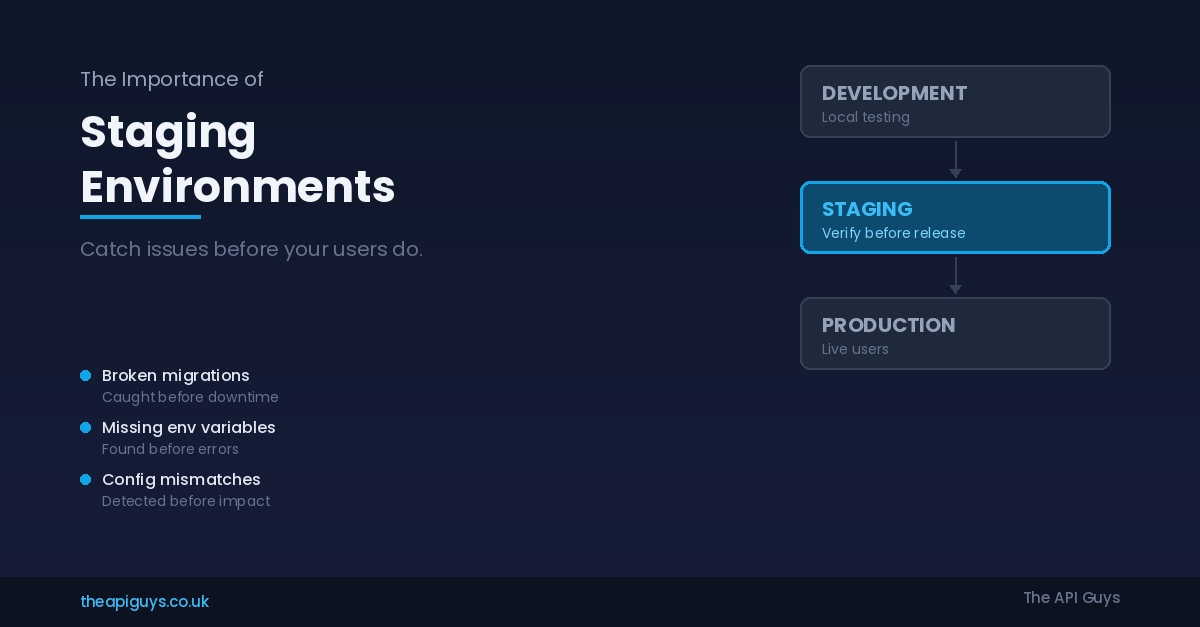
The Importance of Staging Environments
There is a pattern we encounter regularly when onboarding new clients. They have a Laravel application running in production. They have a local development setup. And between those two environments, there is nothing. Every deployment is a direct push from a developer's machine - or at best from a CI pipeline - straight into the live application. Every release is a bet that nothing will go wrong.
It is a bet that eventually loses.
A staging environment is one of the simplest, most cost-effective investments you can make in the reliability of your application. It is not a luxury reserved for large engineering teams with dedicated DevOps staff. It is a baseline requirement for any application that real people depend on.
What a Staging Environment Actually Is
A staging environment is a replica of your production setup where you deploy and test changes before they go live. It should mirror production as closely as possible - the same operating system, the same web server, the same PHP version, the same database engine, the same queue and cache drivers, and the same third-party service connections.
The key word is "mirror." A staging environment that differs meaningfully from production is worse than having no staging environment at all, because it gives you false confidence. If your staging server runs SQLite while production uses MySQL or PostgreSQL, you are not testing your application - you are testing a different application that happens to share the same codebase. Query behaviour, migration execution, character encoding, JSON handling, and even date formatting can differ between database engines. A green light in staging means nothing if the environments do not match.
Similarly, if your staging environment uses the file driver for queues and cache while production uses Redis, you will miss an entire category of issues related to serialisation, connection handling, and race conditions. If staging runs PHP 8.3 while production is still on 8.2, you might use syntax or functions that do not exist in production. Every difference between staging and production is a gap that bugs can slip through undetected.
What Staging Catches That Development Cannot
Local development environments are essential, but they are fundamentally different from where your application actually runs. Your local machine has different performance characteristics, different filesystem permissions, different network conditions, and often different software versions. Here are the categories of issues that a proper staging environment catches reliably.
Migration failures. A migration that runs perfectly on a fresh local database can fail on a production database with millions of rows, existing constraints, or data that does not conform to the assumptions your migration makes. Staging, populated with realistic data, catches these failures before they lock your production database or corrupt existing records. We have seen migrations that worked locally but caused minutes-long table locks in production because nobody tested them against a database of realistic size.
Environment variable mismatches. Production applications rely on dozens of environment variables - API keys, service URLs, feature flags, cache prefixes, mail drivers, and queue connections. It is remarkably easy to add a new variable to your local .env file during development and forget to add it to production. If your staging environment uses its own properly maintained .env file, the absence of a variable becomes obvious during staging deployment rather than during a production incident.
Third-party integration behaviour. Payment gateways, email providers, SMS services, and external APIs all behave differently in their sandbox and live modes. Staging should connect to sandbox versions of these services so you can verify that your integration handles responses, webhooks, and error conditions correctly. An API that returns a slightly different response structure in production than in development will not surface that discrepancy until real users are affected - unless you have a staging layer between them.
Server configuration issues. Nginx rewrite rules, PHP-FPM pool settings, file upload limits, memory allocations, and SSL configurations all affect application behaviour. Developing locally with php artisan serve or Laravel Valet means you are not testing any of these. A staging server configured identically to production ensures that your deployment scripts, server configuration, and application code all work together before anything reaches your users.
Queue and job processing. Background jobs that work synchronously in local development can fail when running through Redis and Supervisor in a production-like environment. Serialisation issues, timeout configurations, retry logic, and memory limits all behave differently under real queue processing. Staging lets you verify that your jobs process correctly, handle failures gracefully, and do not consume excessive resources.
Performance under realistic conditions. A page that loads instantly with ten rows of seed data might take eight seconds with a hundred thousand rows of realistic data. Staging with a properly sized dataset reveals these performance issues before your users experience them. This is not about load testing - it is about basic functional verification under realistic data volumes.
Setting Up Staging for Laravel Applications
For Laravel applications, creating a staging environment does not require significant infrastructure investment. Here is what we recommend as a minimum viable staging setup.
Use the same server provisioning as production. If you use Laravel Forge to manage your production servers, use it for staging as well. This ensures identical Nginx configurations, PHP versions, supervisor processes, and security settings. If you are provisioning servers manually, use the same scripts or playbooks for both environments. We covered the benefits of consistent server provisioning in our post on Laravel Forge vs manual server setup.
Match your database engine and version exactly. If production runs MySQL 8.0, staging must run MySQL 8.0. Not MariaDB, not SQLite, not MySQL 8.4. The same applies to PostgreSQL. Use the same character set and collation configuration. Populate your staging database with anonymised production data or a realistic seed dataset that reflects the volume and shape of your real data.
Use the same queue and cache drivers. If production uses Redis for caching, sessions, and queues, staging must do the same. Configure Supervisor to manage queue workers on staging with the same settings as production - the same number of workers, the same timeout values, the same retry configuration.
Deploy using the same process. Your staging deployment should follow the exact same steps as your production deployment. If you use Forge's deployment scripts, the staging script should be identical to production except for environment-specific values. If you use GitHub Actions or another CI/CD tool, staging and production should share the same pipeline with environment-specific variables. This is critical because deployment scripts themselves can contain bugs - a missing php artisan config:cache or an incorrect file permission change will surface in staging before it causes a production issue.
Create a dedicated staging branch or use feature branch deployments. The simplest approach is to maintain a staging branch that Forge or your CI pipeline watches for changes. Developers merge their feature branches into staging for testing, and once verified, those changes are merged into the production branch. This creates a clear, reviewable path from development through staging to production.
Configure staging-specific environment variables carefully. Your staging .env should use sandbox API keys for third-party services, a separate database, a distinct APP_URL, and a clear APP_ENV=staging setting. Never use production API keys in staging. Never connect staging to production databases. These boundaries protect both your live users and your testing integrity.
Avoiding Common Staging Mistakes
Having a staging environment is not enough on its own. There are several common mistakes that undermine its value.
Letting staging drift from production. If production gets a PHP update but staging does not, the environments are no longer equivalent. When you update production, update staging first. Treat staging as the proving ground for infrastructure changes, not just application code changes. If a PHP upgrade breaks something, you want to discover that in staging.
Using production data without anonymisation. Copying your production database to staging is an effective way to get realistic test data, but it must be anonymised first. Customer names, email addresses, payment details, and any personally identifiable information must be scrubbed or replaced with fake data before it lands in staging. Apart from the obvious legal and ethical obligations under GDPR and similar regulations, you do not want real customer email addresses in a staging environment where test emails might actually be sent.
Skipping staging for "small changes." The changes that break production are almost never the ones you expected. A one-line CSS fix can reveal a caching issue. A "simple" config change can expose an environment variable that was never set. The discipline of staging every change, regardless of perceived risk, is what makes the process reliable. The moment you start deciding which changes are "safe enough" to skip staging, you have reintroduced the gamble.
Not testing the deployment itself. Staging is not just about testing your application code. It is about testing your deployment process. If your deployment script has a bug, or if a Composer dependency fails to install, or if a migration takes longer than expected, you want to discover that during a staging deployment where the only impact is a delay in your testing timeline - not during a production deployment where the impact is downtime for your users.
The Cost Argument
The most common objection to staging environments is cost. Running a second server, even a modest one, is an additional monthly expense. But this argument rarely survives contact with the cost of a single production incident.
A broken deployment that takes your application offline for an hour during business hours costs more in lost revenue, customer trust, and emergency debugging time than a year's worth of staging server hosting. A staging server on a provider like DigitalOcean or Hetzner can cost as little as five to fifteen pounds per month depending on your requirements. That is a trivial expense compared to the cost of a single preventable outage.
If your application handles payments, the argument is even more straightforward. A payment processing bug that makes it to production could result in incorrect charges, failed transactions, or compliance issues. Discovering that bug in staging costs you a few minutes of testing time. Discovering it in production costs you significantly more.
Staging as Part of a Broader Discipline
A staging environment is not a silver bullet. It is one component of a broader deployment discipline that includes version control, code review, automated testing, and monitoring. But it is a uniquely valuable component because it is the closest thing you have to a dress rehearsal for production.
Automated tests verify that your code behaves correctly in isolation. Code review catches logical errors and design issues. But only staging catches the environmental issues - the missing variables, the version mismatches, the configuration gaps, and the infrastructure incompatibilities that only surface when your code meets a real server.
We use staging environments for every client project we manage. It is not optional and it is not negotiable. The small additional cost and effort pays for itself many times over in prevented incidents, faster debugging, and the confidence that comes from knowing every deployment has been verified in a production-equivalent environment before it reaches a single user.
If you are currently deploying directly from development to production, you are carrying unnecessary risk. Setting up a proper staging environment is one of the highest-value improvements you can make to your deployment process, and for Laravel applications with tools like Forge, it takes less than an hour to get right.
If you would like help setting up a staging environment for your Laravel application, or if you want to review your current deployment process, get in touch with us. We are always happy to talk about infrastructure.