Our Tech Stack Explained - What We Use and Why
We get asked about our tech stack a lot. Prospective clients want to know what they are buying into. Fellow developers want to compare notes. And honestly, we think transparency about tooling choices says a lot about how an agency thinks and works.
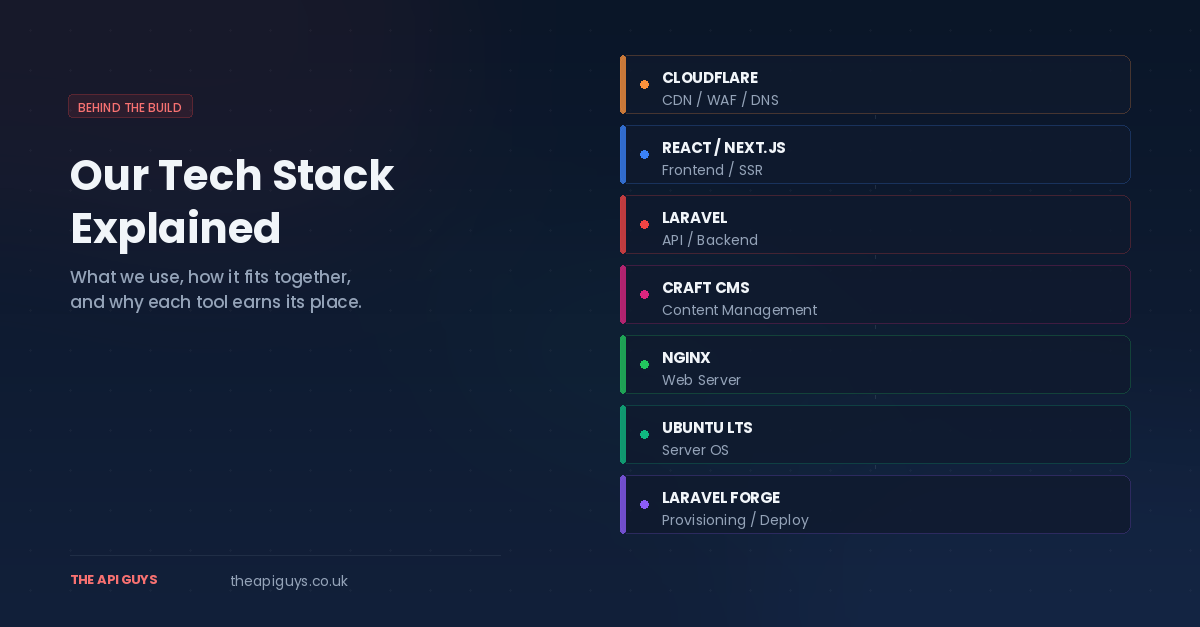
So here it is. A complete look at what we use day to day, how it all fits together, and why each technology earns its place in our workflow.
Laravel - The foundation of everything we build
Laravel is the centre of our world. It is our primary framework for building APIs, and it handles the backend logic for virtually every project we deliver. If you have read any of our other posts, this will not come as a surprise.
We chose Laravel years ago and have never seriously considered moving away from it. The reason is simple: it lets us build robust, well-structured APIs quickly without cutting corners on quality. The framework handles routing, authentication, validation, queuing, caching, database migrations, and a dozen other concerns that we would otherwise need to wire together ourselves.
Laravel's ecosystem is enormous. Tools like Laravel Forge handle our server provisioning and deployment. Eloquent gives us an expressive ORM that keeps database interactions readable. The testing tools - both unit and feature tests - are built in and genuinely pleasant to use. And the release cadence is predictable, with long-term security support that gives us confidence in production.
If you are evaluating a development partner and they cannot articulate why they use their chosen backend framework, that should give you pause. We use Laravel because it makes us faster, more consistent, and more maintainable. It is that straightforward.
React and Next.js - Our frontend of choice
On the frontend side, we work with React and Next.js. We have written about this choice in detail before, but the short version is that React gives us the component architecture and ecosystem we need, while Next.js adds server-side rendering, static generation, and a production-ready framework on top.
When we build a project, the typical architecture is a Laravel API on the backend with a Next.js frontend consuming it. This separation of concerns is deliberate. The API handles business logic, data validation, and persistence. The frontend handles presentation, routing, and user interaction. Each layer does what it does best, and the boundary between them is a clean, well-documented API contract.
Next.js in particular gives us flexibility that matters for our clients. Need a marketing page that loads instantly and ranks well in search engines? Server-side rendering handles that. Need a complex dashboard with real-time updates? Client-side React handles that. Need both in the same application? Next.js lets us mix approaches page by page.
We prefer React over Vue and Next.js over Nuxt. Both Vue and Nuxt are solid technologies, and we would never discourage anyone from using them. But React's larger ecosystem, deeper TypeScript integration, and the pace of innovation in the Next.js community are what tip the scales for us. When we need a library for a specific problem, it almost always exists in the React ecosystem first.
Craft CMS - Content management that respects developers and editors
When a project needs a content management system, our recommendation is Craft CMS. We have covered why in a dedicated post, but it deserves a mention here because it is a genuine part of our stack rather than an afterthought.
Craft stands out because it treats content modelling as a first-class concern. Instead of forcing everything into a "posts and pages" structure the way WordPress does, Craft lets us define exactly the content types, fields, and relationships that a project requires. The authoring experience for clients is dramatically better as a result. Editors work with interfaces that match their actual content rather than fighting against a generic blog layout.
From a developer perspective, Craft speaks our language. It is built on PHP, which means it sits comfortably alongside our Laravel work. And we are particularly excited about the direction Craft is heading. Craft CMS 6 is adopting Laravel as its foundational framework, replacing Yii. For a team that already lives and breathes Laravel, this is a significant development. It means our CMS layer will share the same patterns, tooling, and ecosystem as our API layer. Less context-switching, faster development, and a more unified stack from top to bottom.
Ubuntu Server - The operating system underneath it all
Every server we provision runs Ubuntu LTS. We evaluated the alternatives carefully - particularly AlmaLinux after the CentOS shift to CentOS Stream - and wrote about that decision in detail.
The short version: Ubuntu's APT package ecosystem makes it easy to stay current with PHP, Node.js, and system packages. The LTS release cycle gives us five years of security support per major version, which is more than enough runway for production applications. Cloud provider support is excellent across DigitalOcean, Hetzner, AWS, and everywhere else we deploy. And critically, Laravel Forge has first-class Ubuntu support, which means our provisioning and deployment pipeline works seamlessly.
We run NGINX as our web server, paired with PHP-FPM for processing Laravel requests. This combination gives us strong performance under load with a minimal resource footprint. SSL certificates are handled automatically through Let's Encrypt, and deployments are triggered by Git pushes through Forge.
Cloudflare - Security and performance at the edge
Cloudflare sits in front of every application we deploy. It provides DNS management, DDoS protection, SSL termination, and a global CDN that ensures our clients' applications load quickly regardless of where their users are located.
We particularly value Cloudflare's security features. Their Web Application Firewall catches common attack patterns before requests ever reach our servers. Rate limiting helps protect APIs from abuse. And their DNS infrastructure is fast, reliable, and includes built-in protection against DNS-level attacks.
For static assets - images, CSS, JavaScript bundles - Cloudflare's CDN means those files are served from edge nodes close to the end user rather than travelling back to our origin servers every time. The performance improvement is real, and for our clients it translates directly into faster page loads and better user experience.
We manage DNS through Cloudflare for all our projects, which also gives us a single, consistent place to handle records across every domain we work with. No more logging into five different registrar dashboards to update a DNS record.
Laravel Forge - Server management without the overhead
We have written about Forge at length, but it deserves a mention in any conversation about our stack. Forge is what ties our server infrastructure together. It provisions Ubuntu servers on our chosen cloud provider, installs and configures NGINX, PHP, MySQL or PostgreSQL, Redis, and everything else a Laravel application needs. It handles SSL certificates, deployment scripts, queue workers, cron jobs, and server monitoring.
The alternative is doing all of this manually over SSH, which we did for years. Forge saves us hours per server and eliminates the human error that inevitably creeps into manual provisioning. For a small agency, that time saving is significant.
pnpm - Our JavaScript package manager
A small but meaningful choice: we use pnpm instead of npm for managing JavaScript dependencies across all our projects. The disk space savings from its content-addressable storage are nice, but the real value is in its stricter dependency resolution. pnpm's isolated node_modules structure means our code cannot accidentally import packages that are not declared in our package.json. That entire category of "works locally, breaks in CI" bugs simply does not exist with pnpm.
It is also notably faster than npm for both cold and warm installs, which adds up across CI pipelines and developer machines.
How it all fits together
Here is the typical architecture for a project we deliver:
Client requests hit Cloudflare first, which handles SSL, caching, and security filtering. Legitimate requests pass through to our Ubuntu server running NGINX, which routes them to either the Next.js frontend or the Laravel API depending on the path. The Laravel API handles business logic, talks to MySQL or PostgreSQL for persistence, and uses Redis for caching and queue management. If the project includes content management, Craft CMS provides the authoring interface, and its content is either rendered directly or exposed through an API for the frontend to consume.
Deployments are managed through Laravel Forge. A push to the main branch triggers an automated deployment: code is pulled, dependencies are installed via Composer and pnpm, database migrations run, caches are cleared, and queue workers are restarted. The whole process takes seconds and requires no manual intervention.
This is not a stack we arrived at overnight. Every piece was chosen deliberately, tested in production, and kept because it proved its worth. We are not chasing trends or adopting tools because they are popular on social media. We use what works, and we are happy to explain exactly why it works for us.
What we do not use (and why)
Transparency works both ways. Here are some popular choices we have intentionally moved away from or chosen not to adopt:
cPanel and WHM. We dropped these in favour of Forge and direct server management. The licensing costs were climbing, the resource overhead was unnecessary, and the Apache-centric defaults fought against our NGINX and Laravel workflow.
npm. Replaced by pnpm for the stricter dependency resolution and performance improvements outlined above.
Apache. We prefer NGINX for its performance characteristics with PHP-FPM and its lower memory footprint under concurrent connections. Apache is a fine web server with a long and respected history, but NGINX is a better fit for our workloads.
WordPress. We work with WordPress when clients require it, but for new projects where we have a say in the CMS choice, Craft is our recommendation. The content modelling flexibility and developer experience are in a different league.
The principle behind the choices
If there is a single thread running through every decision in our stack, it is this: choose tools that are well-maintained, well-documented, and that you understand deeply enough to debug at 2am on a Sunday.
We are not interested in having the most exotic stack. We are interested in having a stack that lets us keep everything current and patched, deliver projects on time, and support them confidently for years after launch. Every tool listed above meets that bar, and that is why it is here.
If you are curious about how our stack would fit your next project, get in touch. We are always happy to talk through the technical decisions behind what we build.